

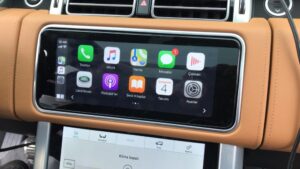
Firmware Upgrade for JLR ICM Module 2018-2019

$199.00
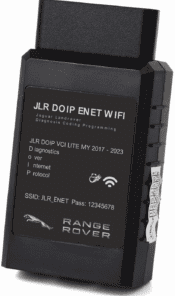
Firmware Upgrade Remote for Land Rover Jaguar ICM Module 2018-2019, JLR Apple CarPlay Androidauto upgrade module. the activation demand OEM JLR VCI kit like DOIP to work with Pathfinder software.
Remote JLR ICM module firmware upgrade service for 2018‑2019 Jaguar & Land‑Rover. Complete ICM flash to support CarPlay and Android‑Auto activation. Works with Pathfinder / JET Pro engineering tools.

JLR ICM Module Firmware Upgrade 2018‑2019 — Service Overview
This JLR ICM module firmware upgrade delivers official‑level infotainment control module flashing for MY2018‑2019 Jaguar and Land‑Rover vehicles. Many 2018‑2019 JLR units ship with older ICM firmware. This old firmware blocks CarPlay and Android‑Auto even after you complete CCF feature activation. For this reason, independent garages and retrofit shops need this flash before they run smartphone pack activation.
First, confirm your vehicle falls within the supported model range. This service covers Discovery 5, Range‑Rover Velar, Evoque, F‑PACE and E‑PACE from model year 2018 to 2019. In addition, you must use valid DoIP hardware such as our JET Pro JLR Engineering Tool or JLR DoIP VCI. Moreover, stable vehicle power supply is mandatory during all ECU flashing operations.
What this JLR ICM firmware upgrade fixes & enables
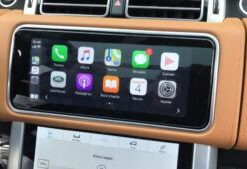
- Smartphone Pack Compatibility: Prepare the ICM module so you can run CarPlay & Android‑Auto activation on 2018‑2019 JLR platforms.
- Infotainment Stability: Resolve common ICM‑related DTC codes, screen freeze and media‑drop‑out faults.
- MOST‑Network Optimisation: Improve communication between ICM, Meridian amplifier and other infotainment network nodes.
- Module Software Alignment: Match ICM firmware version to other onboard control modules to avoid software‑incompatibility fault codes U0300‑00 / U3000‑87.
Technical pre‑requisites before you start the ICM flash
Before you book this JLR ICM firmware upgrade service, check these requirements step‑by‑step. Otherwise the flash process will abort and risk module damage.
- Use Windows PC running Pathfinder or JET‑Pro engineering software. You may also access reference diagnostic data via our TEC‑DOC workshop library.
- Connect DoIP‑capable VCI hardware to vehicle OBD port. Keep external 12V power supply connected to maintain battery voltage during flashing.
- Read and clear existing DTCs from ICM and MOST network modules first. Resolve hardware faults before you perform firmware writing.
- Provide us with your 17‑digit VIN at checkout. Our team pre‑validates your ICM part number and current firmware revision.
How our remote ICM firmware upgrade service works
Once you finish payment, our technical team validates your VIN and ICM hardware compatibility. Next, we send step‑by‑step remote‑session instructions. Meanwhile your technician keeps hands‑on control of the vehicle and VCI connection. All flashing runs over secure remote desktop session. After flash completes, we advise you to run a post‑scan to verify zero new DTCs. After that, you are ready to perform CarPlay / Android‑Auto feature activation.
Important technical notes
This service performs software‑only ICM firmware upgrade. It does not include physical hardware replacement. Some 2018‑2019 vehicles also need armrest USB hardware modification for full smartphone‑pack function. For further reference, you can review official JLR vehicle documentation on Jaguar’s public software update portal (external).
What you receive on purchase
- VIN‑specific remote JLR ICM module firmware upgrade session for 2018‑2019 JLR
- Pre‑service ICM hardware & firmware compatibility check
- Step‑by‑step technician guidance for DoIP flashing workflow
- Post‑flash diagnostic verification checklist
- Links to related retrofit activation guides for CarPlay and Android‑Auto
Be the first to review “Firmware Upgrade for JLR ICM Module 2018-2019”
Related products
Software & Tools
Software & Tools
Software & Tools
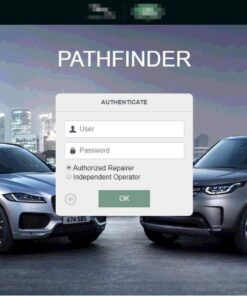
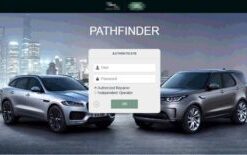
Remote Software Install SDD Pathfinder Work with JLR-DOIP-VCI-WF

Software & Tools
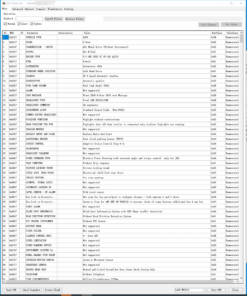
Land Rover Defender L663 Features Activation All-in-one Package
Software & Tools
Software & Tools
Software & Tools
Software & Tools
Reviews
There are no reviews yet.