

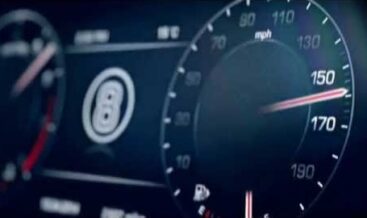

Maximum Vehicle Speed Limit Correction CCF coding‑service for Land Rover Defender L663 DOIP platform (2020‑2027). Adjust factory market‑coded top‑speed limit parameters through Pathfinder / CCF‑Tools. This configuration change does NOT raise engine power output. Therefore, validate your exact powertrain variant using our free JLR‑Decoder VIN‑decode service before placing your order.
Service Overview
The L663 Maximum Vehicle Speed Limit Correction is a professional CCF‑configuration coding service for Land Rover Defender L663 DOIP‑chassis vehicles from 2020‑2027, and it supports NAS, EU, CN and RoW global markets. Furthermore, many L663 vehicles leave production locked to region‑specific maximum‑speed values defined by market regulatory requirements. However, you need to understand clearly: this service only edits CCF configuration flags; consequently, it cannot modify or boost the physical engine‑powertrain hardware power and torque output. Since this is a DOIP‑platform configuration change, you will use Pathfinder or CCF‑Tools 4.8 to update speed‑related CCF parameters, and you follow TOPIX service‑mode reference guidance. Importantly, independent repair‑garages and competent DIY technicians with DOIP‑capable diagnostic hardware should perform this work. You must observe local national traffic laws after you apply this configuration change.
Unlocked Technical Functionality
- Market‑Speed‑Parameter Adjustment: You modify region‑programmed maximum‑vehicle‑speed limit values stored in the main CCF dataset according to actual powertrain hardware capability.
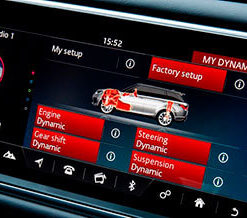
- Preserves Core Powertrain Safety Logic: Engine ECU torque‑limiting, gear‑shift strategy, traction‑control and ABS‑stability‑control functions remain unchanged.
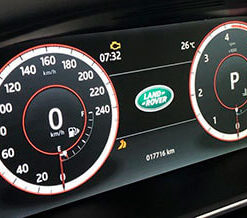
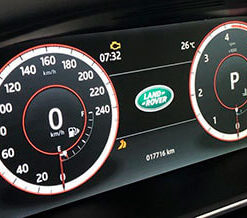
- Instrument‑Cluster Alignment: Updated CCF feeds revised speed‑limit data to the instrument‑cluster for correct warning‑threshold behaviour.
- Full Reversibility: You restore your pre‑modification original CCF backup file to revert back to factory market‑default speed‑limit settings.
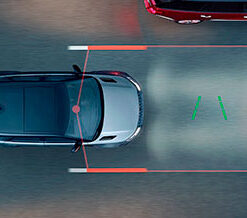
- Retains ADAS Functionality: Adaptive Cruise Control, speed‑sign‑recognition and driver‑warning systems continue to operate with updated limit‑values.
Vehicle Prerequisites & Technical Constraints (JLR Workshop Standard)
Before you start any coding work, confirm your exact engine‑powertrain specification. Additionally, you must never set a maximum‑speed value higher than your hardware‑rated factory‑maximum for your specific engine variant. Run our JLR‑Decoder VIN‑decode before you submit your order, because this check reads your original factory‑build option codes and powertrain configuration. While you perform the CCF‑write procedure, maintain stable 13.2 V vehicle supply voltage with battery‑support‑unit to prevent CCF‑file‑corruption risk. After you write the modified CCF dataset, execute module resets for GWM gateway‑module, powertrain‑ECU and instrument‑cluster via Pathfinder service‑routines. Unless you complete these mandatory reset‑steps, DTC fault‑code U2101‑00 (configuration‑data mismatch) will store in gateway‑memory and speed‑limit changes will not activate. Finally, after coding completes, you perform real‑road functional validation and run a full DTC scan with our JLR‑Decoder DTC‑Library to clear all non‑permanent fault‑entries.
What You Receive Upon Purchase
- TOPIX‑aligned step‑by‑step coding workflow for Pathfinder / CCF‑Tools operators
- Target CCF‑parameter‑reference table for maximum‑speed‑limit configuration‑flags
- Mandatory GWM, powertrain‑ECU and instrument‑cluster module‑reset‑sequence instructions
- DTC troubleshooting guidance covering post‑coding fault U2101‑00 configuration mismatch
- Best‑practice guidance for creating secure original‑vehicle CCF‑backup prior to modification
- Excerpt access from our TEC‑DOC library referencing L663 powertrain‑configuration documentation.
Ordering Information
Once you complete purchase, you get access to all coding‑procedure documentation and CCF‑parameter‑references. This product delivers documentation‑only; DOIP diagnostic‑hardware plus Pathfinder / CCF‑Tools software sell separately. Submit your 17‑digit VIN during checkout for pre‑sales powertrain‑variant screening. Finally, we issue full‑order refund whenever your vehicle presents unsupported powertrain‑hardware conditions for this configuration change.
Frequently Asked Questions
Q: Will this coding service increase my engine horsepower or torque output?
A: No. This service adjusts only CCF speed‑limit configuration‑parameters; it will not upgrade physical powertrain‑hardware power. Therefore, always match set‑speed values to factory hardware‑rated limits. Validate powertrain‑spec with our free JLR‑Decoder VIN‑decode tool.
Q: Why am I getting DTC U2101‑00 after completing CCF write?
A: This configuration‑mismatch fault triggers when required module‑reset‑procedures are skipped. Execute the documented reset‑workflow then clear non‑permanent DTC‑entries.
Q: Can I revert back to factory‑original speed‑limit settings?
A: Yes, restoring your saved original‑CCF backup reverts all speed‑limit parameters back to factory market‑default values.

Reviews
There are no reviews yet.