

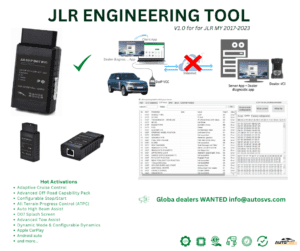
JET Pro JLR Engineering Tool with JLR Enet WiFi 2017-2024
Original price was: $1,999.00.$1,799.00Current price is: $1,799.00.
JET-Pro JLR Engineering Tool Pro software and JLR Enet WiFi Adapter for Jaguar Landrover DOIP-based vehicles, Diagnostic Coding Programming by using JLR Engineering Tool Pro tool, the best and fastest Enet WiFi adapter to work with JLR vehicles.
JET Pro JLR Engineering Tool bundled with JLR Enet WiFi adapter for MY2017‑2024 DoIP JLR vehicles. Single‑PC engineering licence plus DoIP wireless OBD hardware. Perform full‑system diagnostics, CCF editing and hidden‑feature activation without mandatory TOPIx cloud access. Pair with 2‑in‑1 JLR CCF Tools for extended configuration workflows.

JET Pro JLR Engineering Tool with JLR Enet WiFi 2017‑2024 — Product Overview
This JET Pro JLR Engineering Tool with JLR Enet WiFi is a complete hardware‑software workshop bundle purpose‑built for MY2017‑2024 DoIP‑architecture Jaguar and Land‑Rover vehicles. First, independent garages and retrofit specialists use this all‑in‑one package to access engineering‑level vehicle functions without expensive dealer‑grade TOPIx subscriptions. Meanwhile, the bundle combines the JET‑Pro single‑PC locked software licence together with workshop‑grade JLR Enet‑WiFi DoIP OBD‑II communication hardware, supporting wireless and wired ENET connection modes for bay‑side service work.
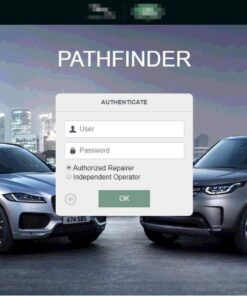
In addition, this kit works alongside our SDD & Pathfinder offline software for mixed‑fleet workshop environments handling both CAN‑bus and DoIP vehicles. Please note JET‑Pro focuses on diagnostics, CCF manipulation and feature activation; heavy‑duty ECU flashing requires higher‑level engineering tool variants.
Core technical capabilities of the JET‑Pro & Enet‑WiFi bundle
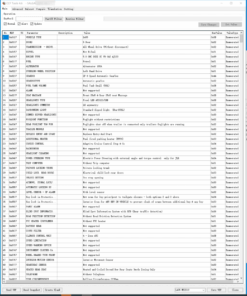
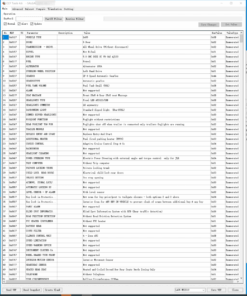
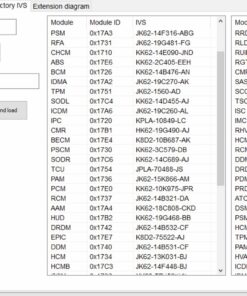
- Full‑System DoIP Diagnostics: Read and clear DTC faults, stream live ECU parameter data, run bi‑directional component actuation and complete module identification across all DoIP control units.
- CCF Read‑Write & Backup: Read factory as‑built CCF files, create secure local backups, edit parameters and execute pre‑built scripts for OEM hidden‑feature activation.
- Retrofit Feature Coding: Enable CarPlay‑Android‑Auto, Adaptive Cruise Control, Terrain‑Response‑2, Meridian audio profiles and other factory‑locked options where physical hardware is already fitted.
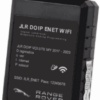
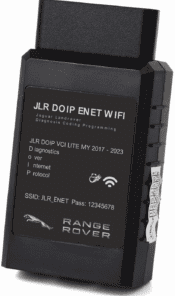
- JLR Enet‑WiFi Multi‑Mode Hardware: ISO‑13400 DoIP protocol support; 2.4GHz local WiFi wireless mode plus wired‑ENET for high‑stability configuration sessions; built‑in surge‑protection circuitry.
- Offline‑First Operation: Only requires internet for one‑time JET‑Pro licence activation; most diagnostic and CCF‑edit tasks run fully offline on your Windows workstation.
Vehicle & Workstation Compatibility Rules
First, validate your vehicle model‑year and architecture prior to purchase. This bundle supports MY2017‑2024 DoIP‑platform JLR chassis: Defender L663, Velar L560, Range‑Rover L405 / L460, Discovery 5 L462, Discovery Sport L550 plus compatible Jaguar DoIP models. On the other hand, it is not intended for older pre‑2017 pure‑CAN‑bus vehicles, which require separate CAN‑capable diagnostic interfaces. Moreover, your host PC must run Windows 10 / Windows 11 64‑bit with minimum 8 GB RAM.
Furthermore, this product includes JET‑Pro software licence plus physical Enet‑WiFi adapter. Remember that coding will not compensate for missing physical retrofit hardware; radar, amplifiers or cameras must be present on‑vehicle for feature enablement. Always stabilise vehicle 12‑V battery voltage during CCF write‑back operations to avoid module corruption.
Workshop Setup & Operating Workflow Summary
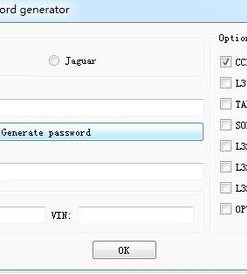
After checkout, submit your workstation PC‑ID for JET‑Pro licence generation, and receive the physical Enet‑WiFi adapter shipment. Next, install JET‑Pro software suite and matching Enet‑WiFi J2534 drivers on your Windows PC. Meanwhile, plug the adapter into vehicle OBD‑II port and establish WiFi or wired‑ENET link. Once connection validation passes, read vehicle CCF, perform diagnostics or run retrofit‑coding scripts. After completing work, back‑up modified configuration and clear residual DTC fault codes.
Critical Technical Notes for Technicians
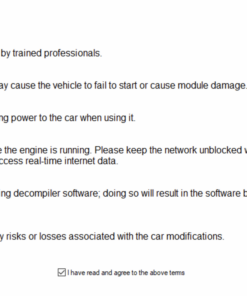
JET‑Pro licence is single‑PC bound and does not cover full ECU firmware flashing or advanced immobiliser key programming. Improper CCF edits may trigger permanent module mis‑configuration. For manufacturer‑reference resources, open Land‑Rover’s official owner support portal (external link).
Items You Receive On Purchase Completion
- Single‑PC locked JET Pro JLR Engineering Tool licence for MY2017‑2024 DoIP vehicles
- Physical JLR Enet‑WiFi DoIP OBD‑II adapter with ENET‑RJ45 cable
- Digital software installers, J2534 driver files and licence‑activation documentation
- PDF quick‑start guide for WiFi / wired‑ENET connection setup
- CCF backup‑restore and retrofit‑coding best‑practice checklist
Be the first to review “JET Pro JLR Engineering Tool with JLR Enet WiFi 2017-2024”
Related products
Software & Tools
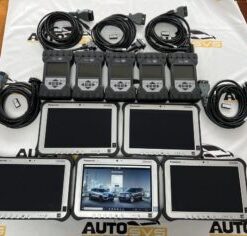
2022 Pathfinder System Panasonic FZ-G1 i5 6300 with JLR DOIP VCI WF
Software & Tools
Software & Tools
Software & Tools
Software & Tools
Software & Tools
Software & Tools
Software & Tools
Reviews
There are no reviews yet.