

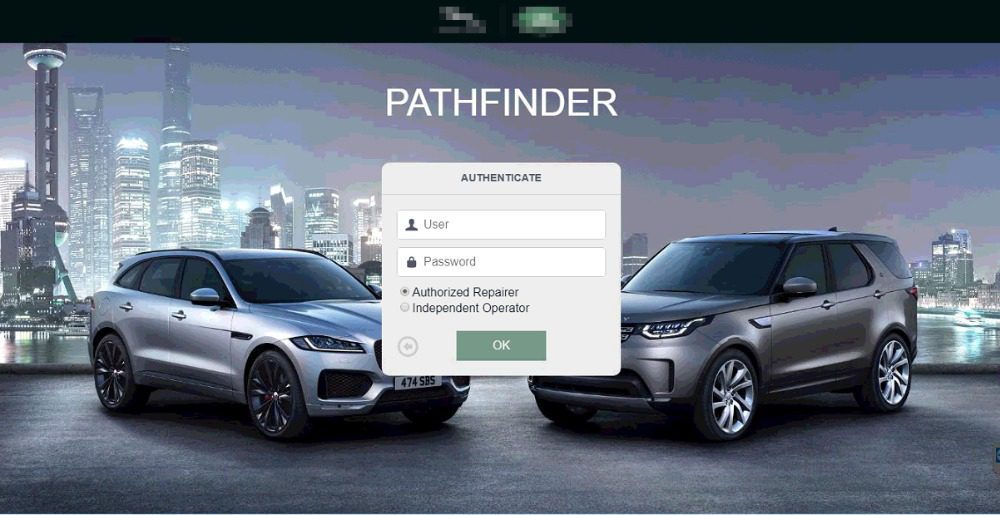
Remote Installation JLR SDD Pathfinder V374 Offline 2023

$199.00
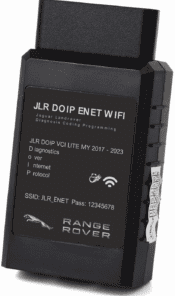
Remote Install JLR SDD Pathfinder V374 Offline 2023, Dealer System Pathfinder SDD System Installation to work with JLR DOIP VCI WF.
Remote installation service for JLR SDD & Pathfinder V374 Offline 2023. Run offline diagnostics, DTC reading and module coding for older CAN and modern DoIP JLR platforms. Works with compatible DoIP VCI adapters; pair with 2in1 JLR CCF Tools for full coding workflows.

Remote Installation JLR SDD & Pathfinder V374 Offline 2023 — Service Overview
This JLR SDD Pathfinder remote install service sets up two core JLR dealer‑grade diagnostic packages onto your Windows workshop PC. First, SDD handles classic CAN‑bus Jaguar and Land‑Rover models. Meanwhile, Pathfinder V374 Offline 2023 supports newer DoIP vehicles. Independent repair garages and retrofit shops use this combined setup to skip mandatory TOPIx cloud login for many daily diagnostic jobs.
In addition, this remote service completes full software deployment, database setup and initial activation on one workstation. You can pair this software with our JET Pro JLR Engineering Tool hardware. Moreover, you still need a valid DoIP‑capable VCI adapter to connect your PC to vehicle OBD port. This package does not ship physical hardware.
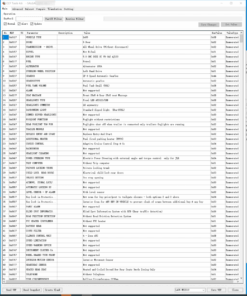
Core functions of installed JLR SDD and Pathfinder V374 Offline
- Full DTC Diagnostic Workflow: Read, analyse and clear fault codes across all vehicle control modules. Capture live data streams and freeze‑frame fault snapshots for quick troubleshooting.
- Module Identification & Guided Tests: Auto‑detect ECUs, run bi‑directional component actuation tests, and follow built‑in service routines for repair tasks.
- Offline Module Programming: Perform firmware updates and module configuration writes without constant JLR cloud connection for supported model ranges.
- CCF File Compatibility: Read factory as‑built vehicle configurations. Link this tool with 2in1 JLR CCF Tools 4.6 & 4.8 for manual parameter editing and retrofit feature activation.
- Multi‑Language Interface: Access English, Chinese, German, French and other supported language packs right after installation completes.
Vehicle & workstation technical requirements
First, confirm your hardware meets minimum standards before purchase. On one hand, SDD covers pre‑2018 CAN‑bus platforms, including XE, XF, F‑PACE, Evoque and Discovery Sport. On the other hand, Pathfinder V374 Offline 2023 supports DoIP vehicles built 2017‑2023 such as Defender L663, Velar, Discovery 5 and Range Rover L460.
Furthermore, your PC must run Windows 10 or Windows 11 64‑bit. Allocate enough local SSD storage for large diagnostic databases. You need temporary internet access only for our remote desktop session. Once installation finishes, most diagnostic and coding tasks run fully offline.
How our remote installation process operates
After checkout, send us your PC basic information. Next, our technician schedules a secure remote desktop session to your workstation. Meanwhile, you keep full control of your computer during every setup step. We deploy SDD, Pathfinder V374 offline database files and resolve common dependency errors. Once installation finishes, we walk you through a quick validation test. After that, you can start vehicle diagnostics immediately.
Important technical notes
This product provides software remote installation only. It excludes VCI interface, hardware and any official JLR TOPIx subscription. Always back‑up module data before you perform programming tasks. Incorrect module flashes may trigger permanent ECU faults. For official manufacturer documentation, visit Jaguar’s public software update portal (external link).
What you receive after purchase
- Remote installation of JLR SDD and Pathfinder V374 Offline 2023 for single Windows workstation
- Full offline diagnostic database deployment and environment troubleshooting
- Post‑installation validation and basic workflow guidance document
- Compatibility notes for DoIP VCI hardware connections
- Reference links for matching CCF editing and retrofit tools
Be the first to review “Remote Installation JLR SDD Pathfinder V374 Offline 2023”
Related products
Software & Tools

Software & Tools
Land Rover Defender L663 Features Activation All-in-one Package
Software & Tools
Software & Tools
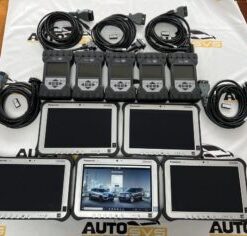
2022 Pathfinder System Panasonic FZ-G1 i5 6300 with JLR DOIP VCI WF
Software & Tools
Software & Tools
Software & Tools
Software & Tools
Reviews
There are no reviews yet.