

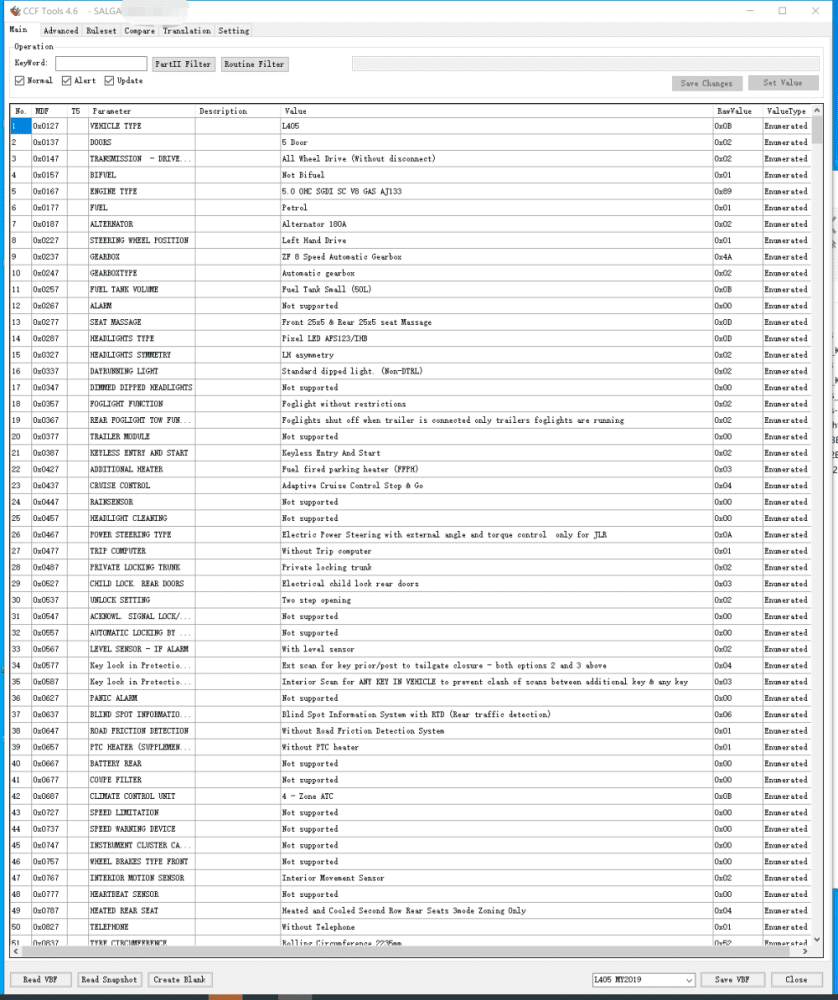
2in1 JLR CCF Tools 4.6 and JLR CCF Tools 4.8 Registration

$199.00
JLR CCF Tools 4.6 and JLR CCF Tools 4.8 Registration
JLR CCF Tools 4.6 Features, read VBF, search by keyword, read the header, compare VBF files, Translation, Efg Common Code, Support MY 2015 – 2019.5 Car models. L538, L550, X260, X760, X540, L405, L494, L462
JLR CCF Tools 4.8 Features, read VBF, search by keyword, read the header, compare VBF files, Translation, Efg Common Code, Support MY 2021 – 2022 Car models. Support MY 2021 – 2022 L462 L663 X260 L560 L551
2in1 JLR CCF Tools 4.6 and 4.8 registration licence. Edit vehicle CCF configuration files, perform retrofit coding and enable CarPlay & Android Auto for JLR MY2015‑2022. Compatible with SDD and Pathfinder diagnostic software.

2in1 JLR CCF Tools 4.6 & 4.8 Registration — Product Overview
This JLR CCF Tools registration unlocks dual‑version CCF editors inside one single‑PC licence. First, CCF Tools 4.6 works with older CAN‑bus JLR platforms built MY2015‑2019.5. Meanwhile, CCF Tools 4.8 supports modern DoIP vehicles up to MY2022. Independent repair garages and retrofit technicians rely on this bundle to modify factory CCF data without dealer TOPIx login restrictions.
You can pair this software licence with our JET Pro JLR Engineering Tool hardware. In addition, it works seamlessly with SDD & Pathfinder offline software. Once you finish registration, core CCF editing features run fully offline after one‑time online activation.
What this JLR CCF Tools registration unlocks for your workshop
- CCF Read‑Write Operations: Pull as‑built CCF snapshots directly from vehicle modules. Adjust parameters and write validated configurations back to ECUs safely.
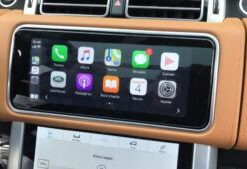
- Smartphone Pack Activation: Tweak CCF parameters to enable CarPlay and Android Auto. Combine this tool with our 2020+ JLR CarPlay activation service for complete retrofit workflows.
- VBF File Handling: Load, search and compare VBF firmware files side‑by‑side. Locate target parameters fast with keyword filtering functions.
- OEM Retrofit Coding: Turn on Meridian surround sound, adaptive cruise control, tow‑hitch modules and other hidden factory features.
- Parameter Safety Check: Built‑in validation flags invalid edits before write‑back. This function lowers risks of DTC faults and module mis‑configuration.
Vehicle and workstation compatibility details
First, verify your target vehicle year range before purchase. CCF Tools 4.6 supports CAN‑bus platforms including F‑PACE, Evoque, Discovery 5 and Range Rover L405 from MY2015‑2019.5. On the other hand, CCF Tools 4.8 covers DoIP models such as Defender L663, Range Rover L460 and Velar built MY2020‑2022.
Moreover, your workstation must run Windows 10 or Windows 11 64‑bit. You need stable internet access only for one‑time licence registration. After activation completes, you do not require continuous internet for daily CCF editing jobs. Use a standard ENET or DoIP VCI adapter to connect your PC with vehicle OBD port.
How our registration service works step‑by‑step
After checkout, submit your workstation PC ID to our technical support team. Next, our staff validates your information and generates dual registration keys for 4.6 plus 4.8. Meanwhile, we send software download links and illustrated setup guides. Once you complete local installation and registration, you can start JLR CCF editing and retrofit coding immediately.
Critical technical notes for technicians
This product delivers software registration only. It does not include VCI adapters, SDD or Pathfinder licences. Always create a full backup of original vehicle CCF files before you run any parameter modification. Wrong CCF changes can trigger permanent module configuration failures. For manufacturer reference documentation, visit Jaguar’s official software update portal (external).
Items you receive after completing purchase
- 2‑in‑1 registration licence for JLR CCF Tools 4.6 + 4.8 (single‑PC locked)
- Official software installer download links
- PC ID submission and step‑by‑step registration guide
- CCF backup, editing and write‑back workflow manual
- Access to our internal JLR retrofit coding knowledge‑base
Be the first to review “2in1 JLR CCF Tools 4.6 and JLR CCF Tools 4.8 Registration”
Related products
Software & Tools
Software & Tools
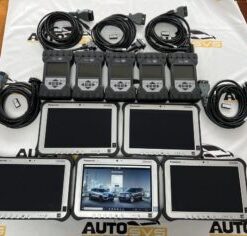
2022 Pathfinder System Panasonic FZ-G1 i5 6300 with JLR DOIP VCI WF
Software & Tools
Software & Tools

Software & Tools
Land Rover Defender L663 Features Activation All-in-one Package
Software & Tools
JET Master JLR Engineering Tool SX-Tool JLR Coding Programming
Software & Tools
Software & Tools
Reviews
There are no reviews yet.